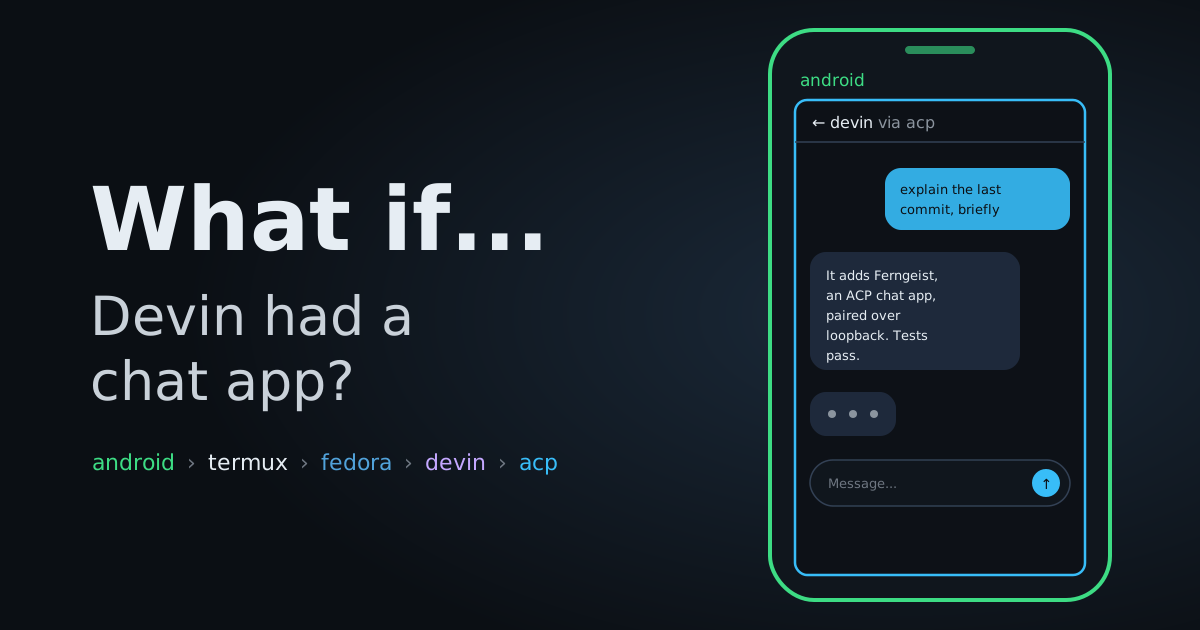
*This is the second post of a series I'm calling What If.... Small experiments that start with a slightly unreasonable question and end wherever the terminal takes me. In the first episode, we got the Devin CLI running natively on an Android phone.*
The question
Devin works on the phone. But using it means opening Termux, attaching to a session and typing prompts on a soft keyboard.
Terminals were designed for keyboards and big screens. On a phone, what I actually want is a chat app. Type a message, get an answer, come back later and see the agent still working.
So the question became: what if a real mobile app could talk to the Devin running on the same phone?
How it works
A CLI agent talks stdin and stdout. A chat app talks HTTP and WebSockets. To connect them, three pieces are needed.
- A protocol, so the app and the agent speak the same language.
- A server, that hosts sessions and exposes that protocol.
- A client, the app itself.
ACP
The protocol already exists and it's open: the Agent Client Protocol (ACP).
It's the same idea as the Language Server Protocol, but for coding agents. Before LSP, every editor had to integrate every language server individually. After LSP, any editor that speaks the protocol works with any language server that speaks it.
ACP does that for agents. An agent exposes sessions, prompts and updates over ACP, and any client that speaks the protocol can drive it.
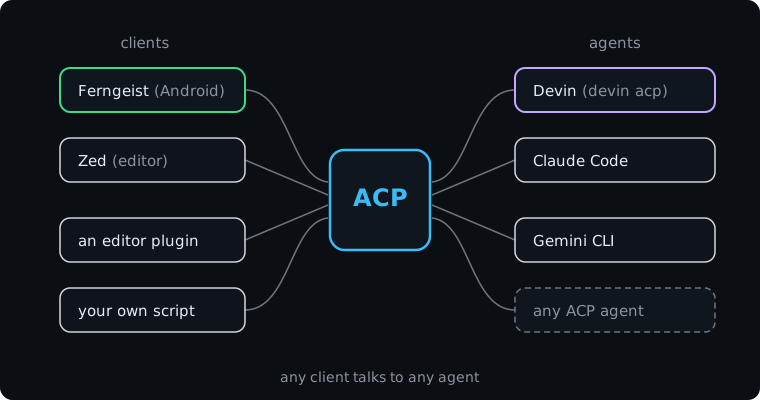
That's the potential: the app doesn't need a Devin integration, and Devin doesn't need a Ferngeist integration. Both just implement ACP, and they work together.
Devin supports it through devin acp. So do other agents.
ferngeist-gateway
The server piece is ferngeist-acp-gateway, a daemon that runs where the agent runs. It listens on a port, speaks HTTP and WebSockets to clients, and spawns devin acp for each session.
A detail that cost me some time: the
ferngeistrepo is the app. The server we install on the phone is a different repo,ferngeist-acp-gateway.
The result looks like this:
Ferngeist app → ferngeist-gateway :5788 → spawns "devin acp" per sessionApp and gateway on the same phone, talking over loopback. Nothing leaves the device.
Installing
The gateway publishes linux_arm64 tarballs, which is exactly what proot needs. Let's do this in /tmp, a scratch directory:
[root@localhost ~]# cd /tmpDownload the release tarball. curl -fsSL means: fail on HTTP errors (f), stay quiet (s), print errors anyway (S) and follow redirects (L). -o saves to a file:
[root@localhost tmp]# curl -fsSL -o ferngeist-gateway.tar.gz \
    https://github.com/arafatamim/ferngeist-acp-gateway/releases/download/v0.11.0/ferngeist-gateway_0.11.0_linux_arm64.tar.gz
Then download SHA256SUMS, the checksum file published next to the release, and grep the line for our tarball:
[root@localhost tmp]# curl -fsSL -o SHA256SUMS \
    https://github.com/arafatamim/ferngeist-acp-gateway/releases/download/v0.11.0/SHA256SUMS
[root@localhost tmp]# grep linux_arm64.tar.gz SHA256SUMS
ce357b4cb50c6e0c9c40624467a635726fdd2743ea8f42d8aade267ce96d4909  ferngeist-gateway_0.11.0_linux_arm64.tar.gz
Now verify that the file we downloaded produces exactly that hash. sha256sum -c reads "hash filename" pairs from stdin (that's the -) and checks each file:
[root@localhost tmp]# echo "ce357b4cb50c6e0c9c40624467a635726fdd2743ea8f42d8aade267ce96d4909  ferngeist-gateway.tar.gz" | sha256sum -c -
ferngeist-gateway.tar.gz: OK
OK means the tarball is intact and it's the same bytes the developer published. If it ever says FAILED, delete the file and don't run it.
Extract it and install the binary somewhere on the PATH. install copies a file and sets permissions in one step (-m 0755 makes it executable by everyone):
[root@localhost tmp]# tar -xzf ferngeist-gateway.tar.gz
[root@localhost tmp]# install -m 0755 ferngeist-gateway /usr/local/bin/ferngeist-gateway
Check that it runs:
[root@localhost tmp]# ferngeist-gateway --version
VERSION     0.11.0
COMMIT      af83c22697a4f4a93108c7067048391c31b42e62
BUILT AT    2026-09-17T12:13:38Z
GO VERSION  go1.26.8
Then start the daemon. There's a daemon install command, but remember from the first episode: no systemd, no dbus in proot. It fails immediately:
[root@localhost ~]# ferngeist-gateway daemon status
read daemon service status: daemon service management is unsupported in this environment: Failed to connect to user scope bus via local transport: $DBUS_SESSION_BUS_ADDRESS and $XDG_RUNTIME_DIR not defined
So we run it directly, in the background.
First, create a directory for its data and logs. -p creates the whole path and doesn't complain if it already exists:
[root@localhost ~]# mkdir -p ~/.local/share/ferngeist-gatewayThen start it. daemon run --lan is the foreground mode of the same service (the --lan flag exposes it on the local network, not only on loopback). nohup detaches it from the shell so it keeps running when the terminal closes, > daemon.log 2>&1 sends all output to a log file, and the trailing & puts it in the background:
[root@localhost ~]# nohup ferngeist-gateway daemon run --lan \
    > ~/.local/share/ferngeist-gateway/daemon.log 2>&1 &
Wait a couple of seconds and read the log to confirm it's up:
[root@localhost ~]# tail -5 ~/.local/share/ferngeist-gateway/daemon.log
{"msg":"push notifications: no FCM credentials configured, using log-only provider"}
{"msg":"mdns discovery started","component":"discovery","service_name":"localhost","port":5788}
{"msg":"starting gateway daemon","listen_addr":"0.0.0.0:5788","admin_listen_addr":"127.0.0.1:5789","lan_enabled":true}
{"msg":"admin api listening","component":"api","addr":"127.0.0.1:5789"}
{"msg":"api server listening","component":"api","addr":"0.0.0.0:5788"}
The public API listens on 0.0.0.0:5788 and a separate admin API on 127.0.0.1:5789.
Two things to note in that log. The mDNS line means the app can auto-discover the gateway on the local network. And the FCM line: push notifications won't actually reach the app, the gateway only logs them. Sessions work fine, there's just no push wake-up.
There's a fix for push (a
FERNGEIST_GATEWAY_FCM_CREDENTIALS_FILEenv var pointing to a Firebase service account), but the released app is tied to the upstream developer's Firebase project, so it only works if you build the app yourself.
Ferngeist
The client piece is the Ferngeist app itself, installed on the phone.
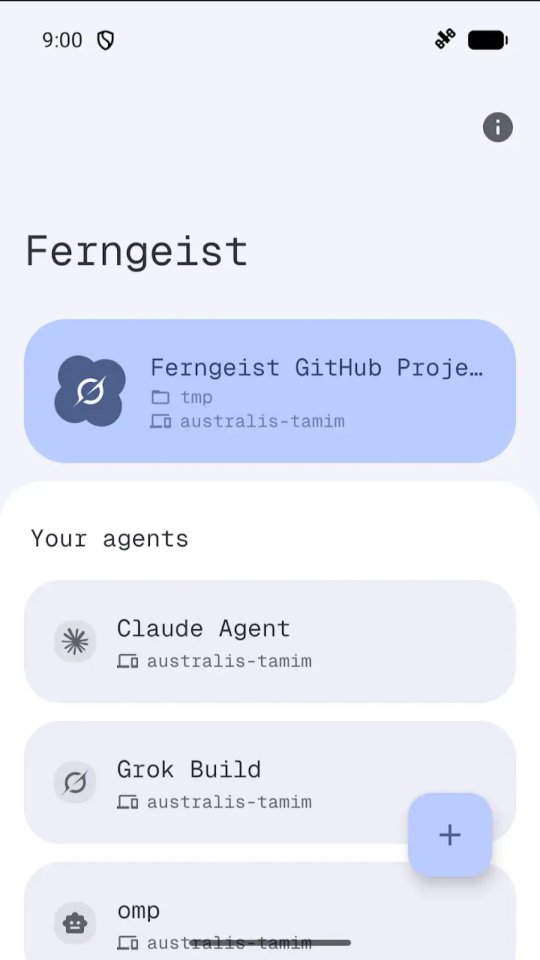
It's a regular Android app. On the surface it looks like a chat client: a list of sessions, a conversation view, a text field. Behind it, it speaks the gateway's HTTP and WebSocket API, which bridges to ACP.
The home screen lists the agents it can talk to:
Inside a session, it's a normal chat. The agent's reasoning steps are collapsible and there's a token counter up top:
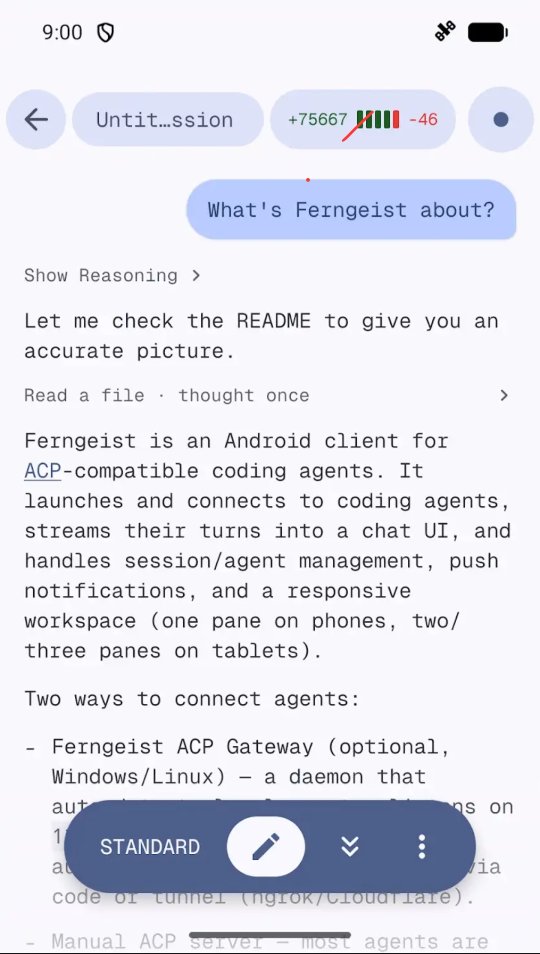
Sessions survive on the phone, so I can close the app, reopen it later and pick up a conversation where it stopped.
Pairing
With the daemon running, start a pairing session:
[root@localhost ~]# ferngeist-gateway pair
Ferngeist pairing started
Code: 316525
Expires at: 2026-09-23T11:53:14Z

Payload:
ferngeist-gateway://pair?challengeId=wKD6NnLyA35jdDLJulg3ir8F&code=316525&host=192.168.68.62%3A5788&scheme=http
Target: http://192.168.68.62:5788
It also prints a QR code in the terminal. In the app, choose Add server, scan the QR, or enter the host and the 6-digit code manually.
For the host, use http://127.0.0.1:5788. The app and the gateway run on the same phone, and Android lets the app reach proot's loopback. The LAN IP from the payload also works, but the phone's IP changes with DHCP. I had a saved entry silently stop working after a wifi reconnect. Loopback never changes.
Codes expire in about 2 minutes. If pairing returns 401, it's almost always an expired code, not a wrong one. Just run
pairagain.
To confirm it worked, devices list asks the running gateway which devices have paired:
[root@localhost ~]# ferngeist-gateway devices list
samsung SM-S938U1
And from here, the terminal is no longer needed. Prompts go into the chat, answers come back as messages, and each session spawns a devin acp behind the scenes.
Waking it up
There's no systemd, so nothing restarts the daemon when the proot session dies. And proot sessions die every time Termux restarts.
The fix is a small script, /usr/local/bin/ferngeist-up, with start, pair, status, stop and logs subcommands. It launches the daemon under nohup, waits for port 5788 to answer and prints the endpoints:
[root@localhost ~]# ferngeist-up
started (pid 22144)
api:   http://0.0.0.0:5788  (use http://127.0.0.1:5788 from this device)
admin: http://127.0.0.1:5789
log:   /root/.local/share/ferngeist-gateway/daemon.log
One subtlety it handles: the gateway stores its database in the current directory. Launch it from a different folder and it quietly creates a fresh empty database, and the pairing is gone. The script always cds to ~/.local/share/ferngeist-gateway/ before starting, so state stays in one place.
The result
Devin now answers in a chat bubble, on the same phone it's running on. I can send it a task, put the phone down and read the result later.
This is what it looks like in action (sped up 1.5x):
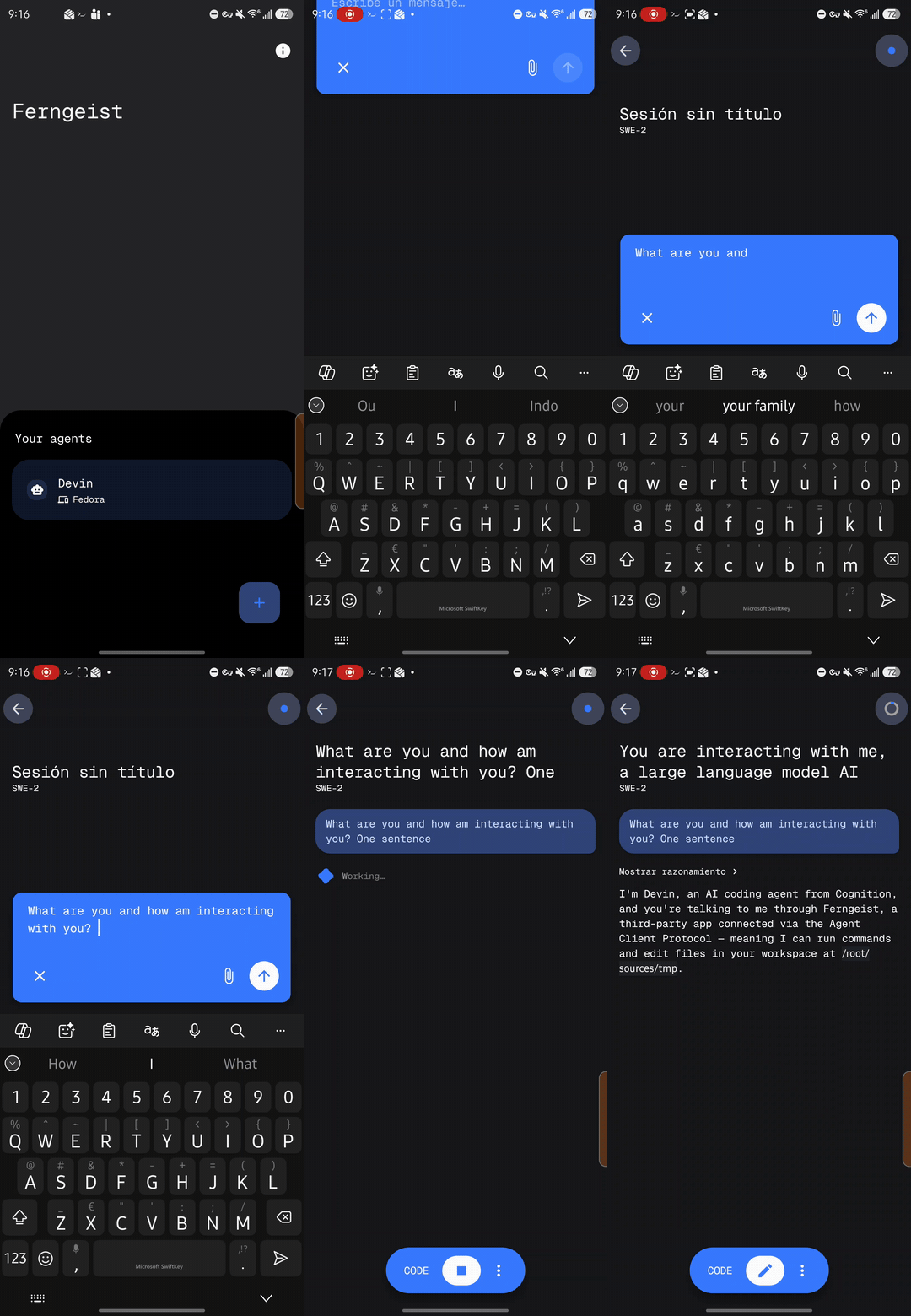
It's not perfect. The daemon has to be woken manually after restarts, pairing codes expire fast and there's no push notification when a turn finishes. But it's a real app, with session history and an async feel, instead of a terminal squeezed onto a touchscreen.
And since it's all ACP, nothing here is Devin-specific. Point the same gateway at Claude Code, Gemini CLI or any other ACP agent and the same chat UI works.
Conclusion
The phone went from "runs a coding agent in a terminal" to "has a chat app for a coding agent", and everything stayed on the device.
See you on the next What If.... Thanks!